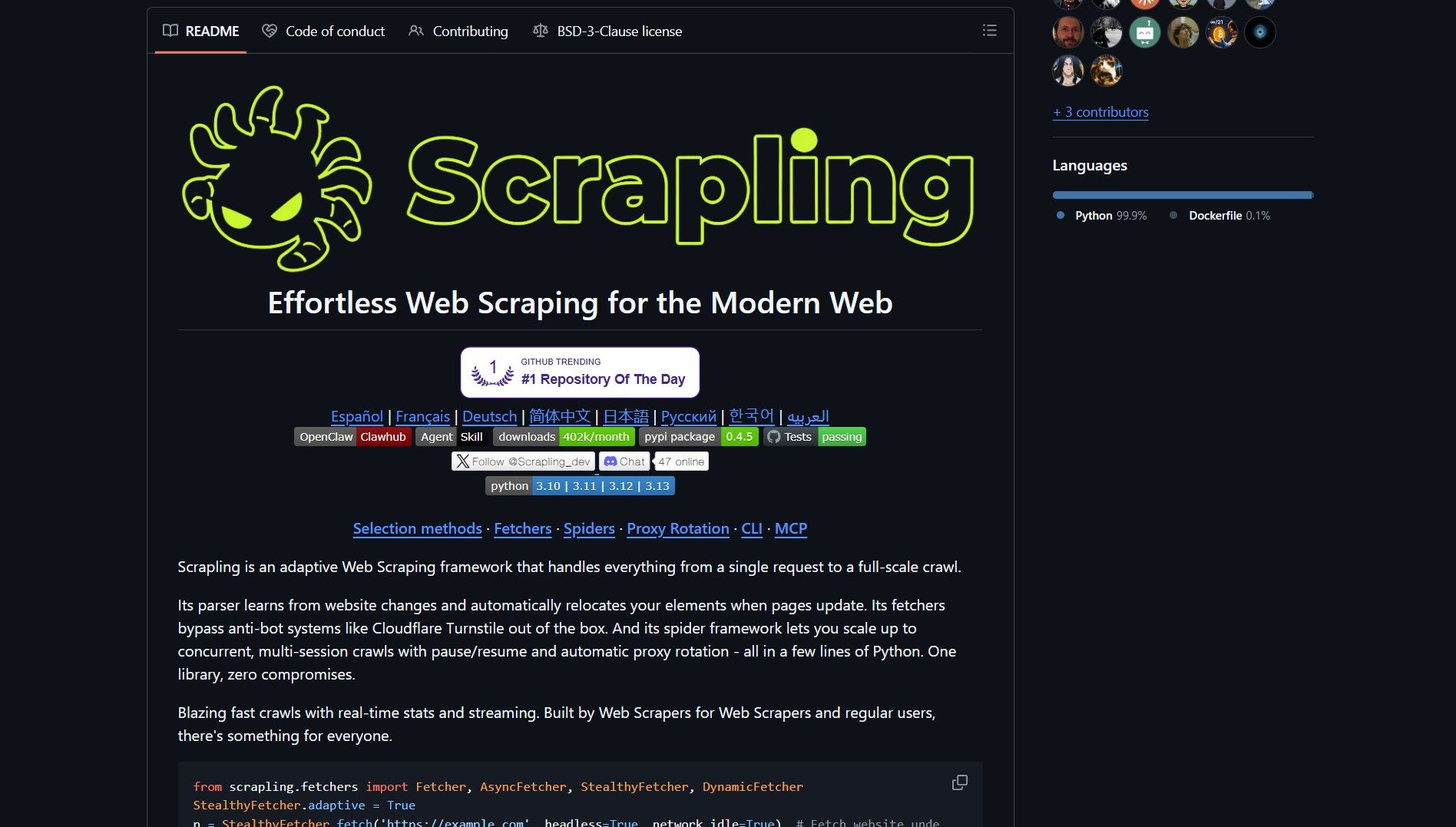
Scrapling is an open-source web scraping framework by D4Vinci that bypasses Cloudflare protections natively. The adaptive parser relocates selectors when pages change, reducing maintenance. It supports proxy rotation, pause and resume, and concurrent multi-session crawls.
scrapling repo
The fetchers include anti-bot techniques that remove the need for separate scraping stacks. The parser runs up to 774x faster than BeautifulSoup for some workloads. Developers can integrate Scrapling into agentic pipelines, similar to how Gobii runs durable autonomous agents in production environments.
How It Works
Scrapling uses an adaptive parser that learns from layout changes. When a target site updates its HTML structure, the parser relocates elements automatically. The anti-bot fetchers handle Cloudflare Turnstile and other protections without manual configuration.
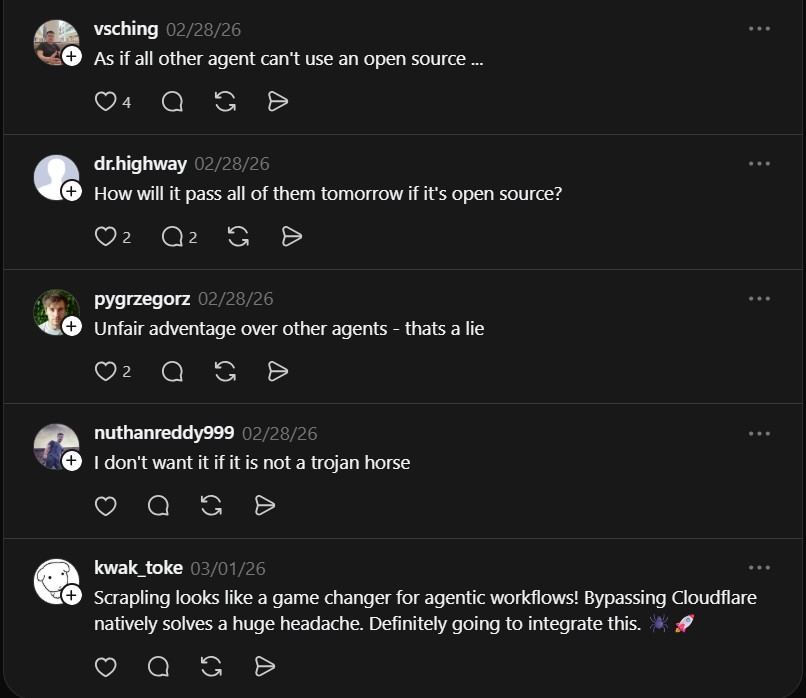
Threads user, in response to How to Bypass Cloudflare with Scrapling
For large-scale crawls, the spider framework manages concurrent sessions with automatic proxy rotation. It supports pause and resume, so interrupted crawls do not restart from scratch. To get started, run git clone https://github.com/D4Vinci/Scrapling and follow the repo instructions to configure fetchers and parser.
Use Cases
SaaS agents use Scrapling to pull site data without rebuilding frontends after layout changes. Data engineering pipelines run large-scale crawls with pause and resume for reliability. Developers building full-stack AI solutions with LangChain and LangGraph can add Scrapling as a data ingestion layer.
Claims about bypassing protections are sensitive. Evaluate legal and ethical considerations before deploying at scale. Validate the parser on your target sites and measure throughput first. Start with a small pilot on low-traffic targets before scaling with proxy settings.
Scrapling is an open-source web scraping framework by D4Vinci that bypasses Cloudflare protections natively. The adaptive parser relocates selectors when pages change, reducing maintenance. It supports proxy rotation, pause and resume, and concurrent multi-session crawls.
scrapling repo
The fetchers include anti-bot techniques that remove the need for separate scraping stacks. The parser runs up to 774x faster than BeautifulSoup for some workloads. Developers can integrate Scrapling into agentic pipelines, similar to how Gobii runs durable autonomous agents in production environments.
How It Works
Scrapling uses an adaptive parser that learns from layout changes. When a target site updates its HTML structure, the parser relocates elements automatically. The anti-bot fetchers handle Cloudflare Turnstile and other protections without manual configuration.
Threads user, in response to How to Bypass Cloudflare with Scrapling
For large-scale crawls, the spider framework manages concurrent sessions with automatic proxy rotation. It supports pause and resume, so interrupted crawls do not restart from scratch. To get started, run git clone https://github.com/D4Vinci/Scrapling and follow the repo instructions to configure fetchers and parser.
Use Cases
SaaS agents use Scrapling to pull site data without rebuilding frontends after layout changes. Data engineering pipelines run large-scale crawls with pause and resume for reliability. Developers building full-stack AI solutions with LangChain and LangGraph can add Scrapling as a data ingestion layer.
Claims about bypassing protections are sensitive. Evaluate legal and ethical considerations before deploying at scale. Validate the parser on your target sites and measure throughput first. Start with a small pilot on low-traffic targets before scaling with proxy settings.
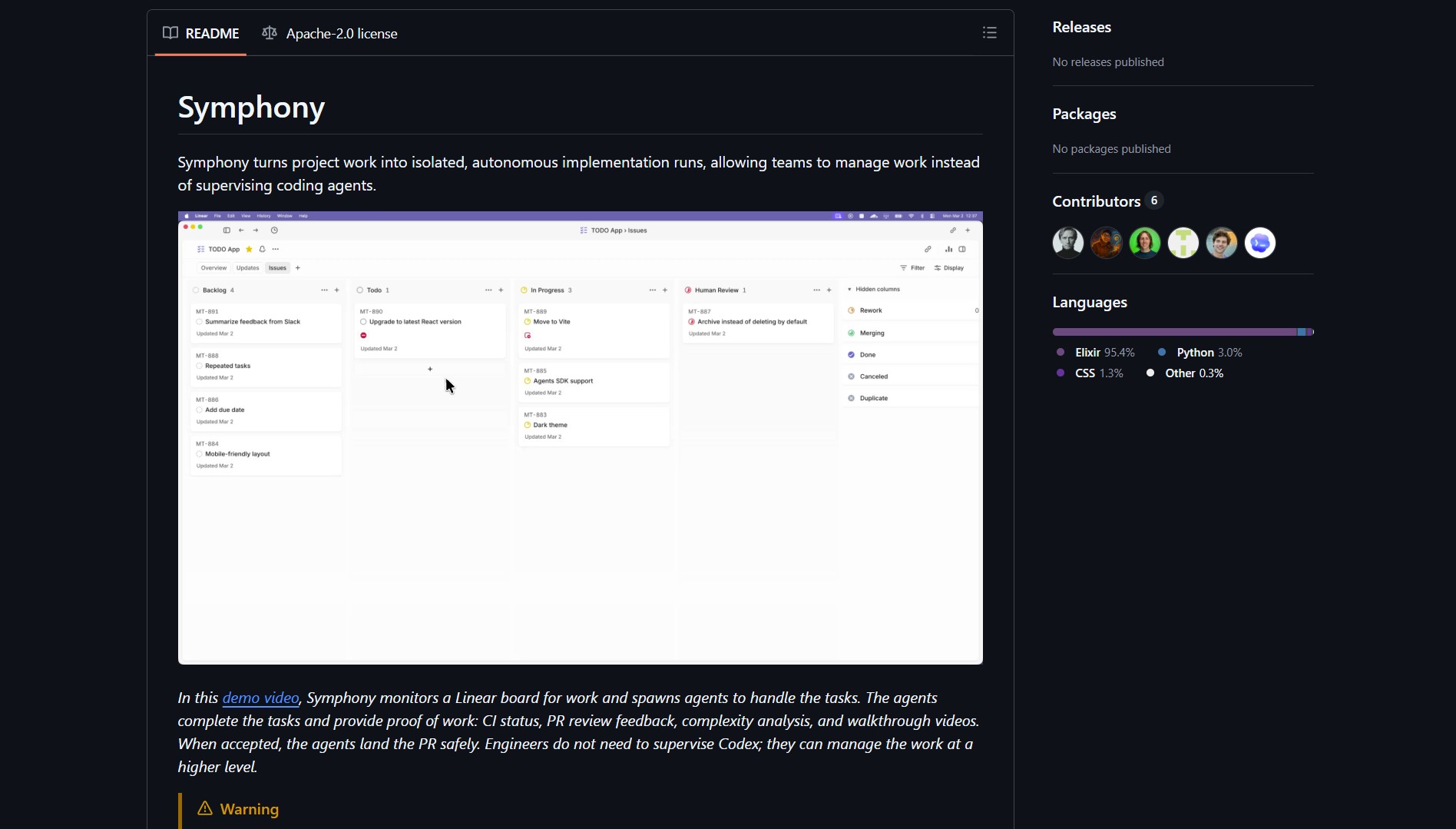
Symphony is an orchestration layer for autonomous engineering runs. It hooks into Linear, spawns isolated workspaces, and assigns an AI agent to implement a ticket end to end. The agent writes code, runs tests, opens PRs, responds to reviews, and lands the change when CI passes.
symphony repo
What Symphony does
Symphony automates the full ticket-to-PR lifecycle. It monitors issue trackers for new tickets and creates ephemeral workspaces for each one. An autonomous agent gets the task context and test harness, then implements features, runs tests, and files pull requests.
The agent also handles review feedback and updates the PR until CI passes. Symphony can generate a walkthrough video before landing the change. This shifts the developer role from implementer to reviewer.
Symphony combines event triggers, ephemeral environments, and autonomous agents. The monitor watches Linear for new tickets. When a ticket appears, the workspace manager creates an isolated environment. The agent receives the task context and test harness.
Threads user, in response to How to Automate the Ticket-to-PR Cycle with Symphony
The agent then implements the feature, runs tests, and opens a pull request. It responds to review feedback and updates the PR until tests pass. When CI succeeds, the change lands automatically.
The catch
Autonomous development agents carry safety and security risks. Symphony should run in isolated labs with human approvals for production merges. Start with small repos, noncritical branches, and explicit rollback policies. Measure flakiness, test coverage, and PR quality before scaling.
Symphony is an orchestration layer for autonomous engineering runs. It hooks into Linear, spawns isolated workspaces, and assigns an AI agent to implement a ticket end to end. The agent writes code, runs tests, opens PRs, responds to reviews, and lands the change when CI passes.
symphony repo
What Symphony does
Symphony automates the full ticket-to-PR lifecycle. It monitors issue trackers for new tickets and creates ephemeral workspaces for each one. An autonomous agent gets the task context and test harness, then implements features, runs tests, and files pull requests.
The agent also handles review feedback and updates the PR until CI passes. Symphony can generate a walkthrough video before landing the change. This shifts the developer role from implementer to reviewer.
Symphony combines event triggers, ephemeral environments, and autonomous agents. The monitor watches Linear for new tickets. When a ticket appears, the workspace manager creates an isolated environment. The agent receives the task context and test harness.
Threads user, in response to How to Automate the Ticket-to-PR Cycle with Symphony
The agent then implements the feature, runs tests, and opens a pull request. It responds to review feedback and updates the PR until tests pass. When CI succeeds, the change lands automatically.
The catch
Autonomous development agents carry safety and security risks. Symphony should run in isolated labs with human approvals for production merges. Start with small repos, noncritical branches, and explicit rollback policies. Measure flakiness, test coverage, and PR quality before scaling.
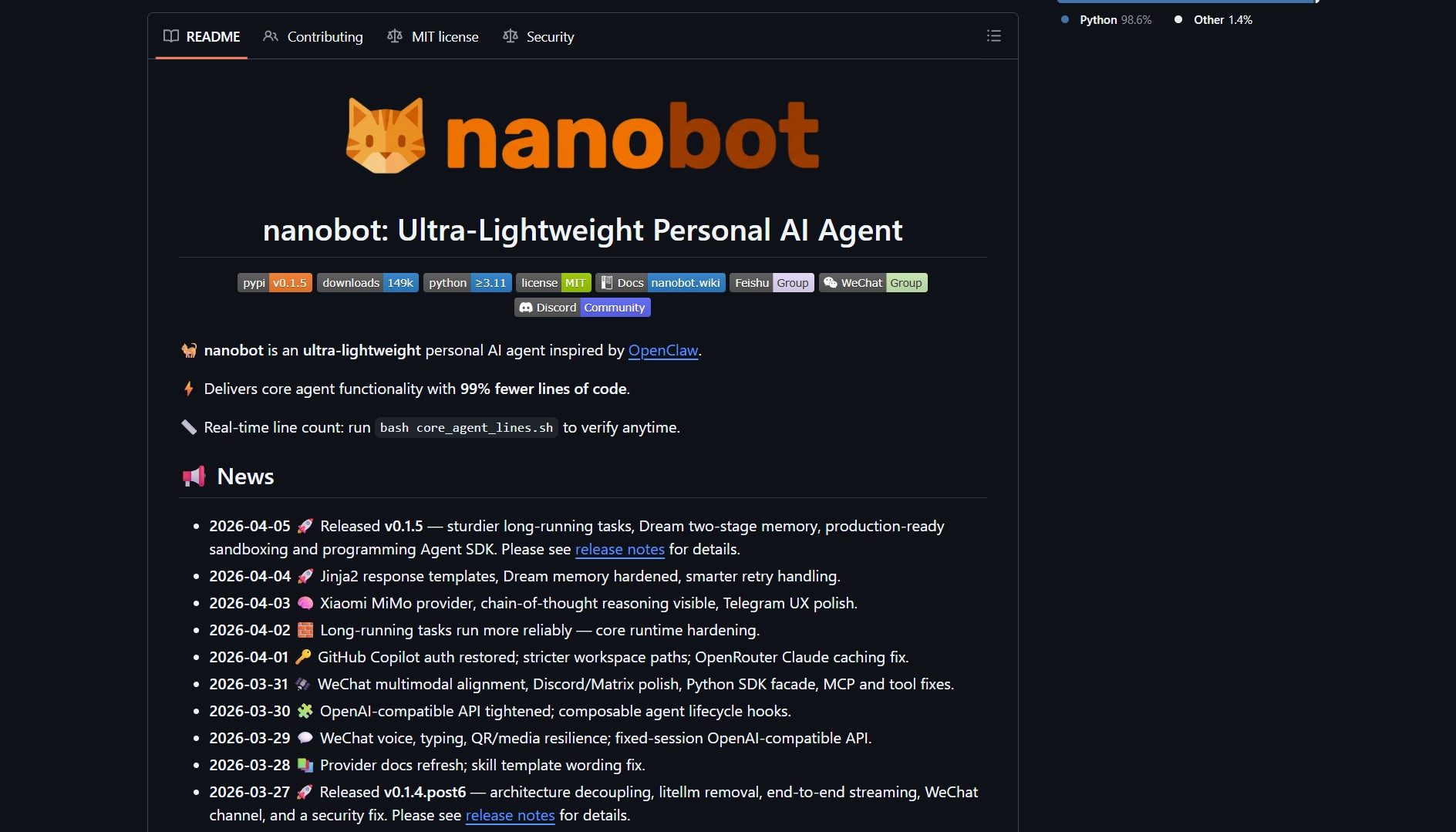
I ran into this repo on GitHub and had to stop, because Nanobot is an ultra-light clawdbot-style assistant that boots in under a minute. Where Clawdbot requires 430,000 plus lines of code to run, Nanobot delivers the same core agent loop in roughly 4,000 lines — a dramatic reduction in complexity and surface area.
What is Nanobot?
Nanobot is a minimal, research-friendly agent framework from HKUDS that focuses on readability, speed, and low resource usage. The repository demonstrates a compact core agent loop, real-time tooling to count lines (core_agent_lines.sh), and ergonomics that make the codebase approachable for researchers and engineers who want to build personal AI agents without framework bloat.
nanobot repo
Note: Line count comparisons are indicative, not a full measure of capability. A smaller codebase reduces maintenance overhead and attack surface, but you should validate features and stability for your use case.
Customer Persona
The typical Nanobot user is a machine learning researcher or software engineer who needs a lightweight, inspectable agent framework for prototyping AI behaviors. They value code readability, fast iteration cycles, and minimal dependencies over production-ready safety features. This persona often works in academic or R&D environments where they need to experiment with agent loops without the overhead of larger frameworks like LangChain or AutoGPT.
Market Analysis
Nanobot enters a crowded market of AI agent frameworks, competing with heavyweights like LangChain, AutoGPT, and Clawdbot. Its differentiation lies in its extreme minimalism—4,000 lines versus 430,000—making it uniquely suited for research and educational use. While it lacks the battle-tested robustness and ecosystem of larger frameworks, its small size allows for full auditability and customization, similar to the approach used by the OpenHands development platform for building and scaling AI agents. For production deployments, teams would likely still choose more mature options, but Nanobot fills a niche for rapid prototyping and agent architecture studies.
Key Features
Ultra-Lightweight — small codebase that starts fast and is easy to inspect
Research-Ready — readable structure makes experimentation straightforward
Lightning Fast Startup — no massive dependency load, quick iterations
One-Click Deploy — minimal setup to get the agent loop running
Threads user, in response to How to Use Nanobot as an Ultra-Light Personal AI Agent
How It Works
At a high level, Nanobot implements the standard agent loop with tight, explicit components and a small set of adapters for tools and IO. The project emphasizes compact state encodings and a minimal runtime so you can reason about behavior in a single afternoon.
git clone https://github.com/HKUDS/nanobot

cd nanobot

# inspect line count and core scripts

bash core_agent_lines.sh

# run the agent as documented in the README
Component
Purpose
Core loop
The minimal event/task loop that drives agent decisions
Adapters
Lightweight connectors for tools, IO, and external APIs
Utilities
Helper scripts, including the line counting tool
Tests / Examples
Small demos to exercise typical agent flows
Tip: Run bash core_agent_lines.sh to verify the real-time line count, and use the small demos to understand the agent’s action model before extending it.
Community Reactions
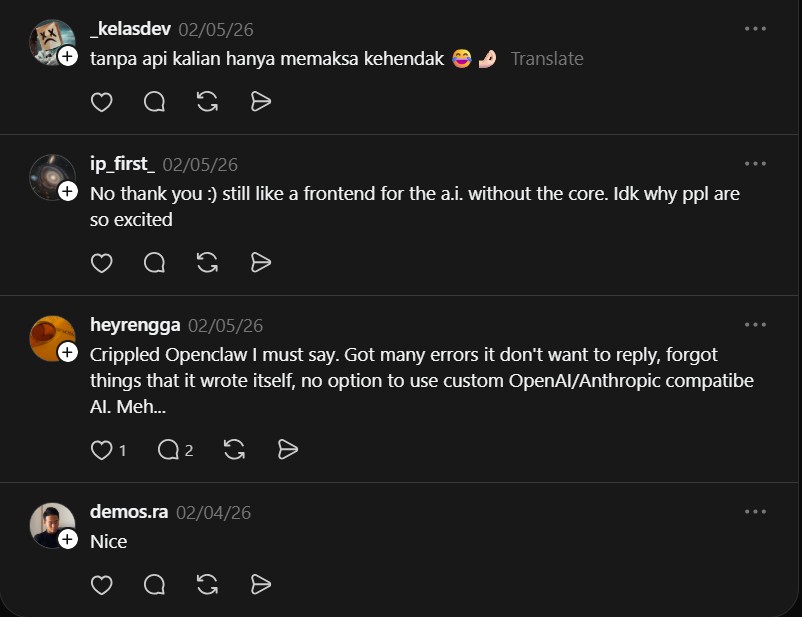
“No thank you 🙂 still like a frontend for the a.i. without the core. Idk why ppl are so excited” — @ip_first_
“Crippled Openclaw I must say. Got many errors it don’t want to reply, forgot things that it wrote itself, no option to use custom OpenAI/Anthropic compatibe AI. Meh…” — @heyrengga
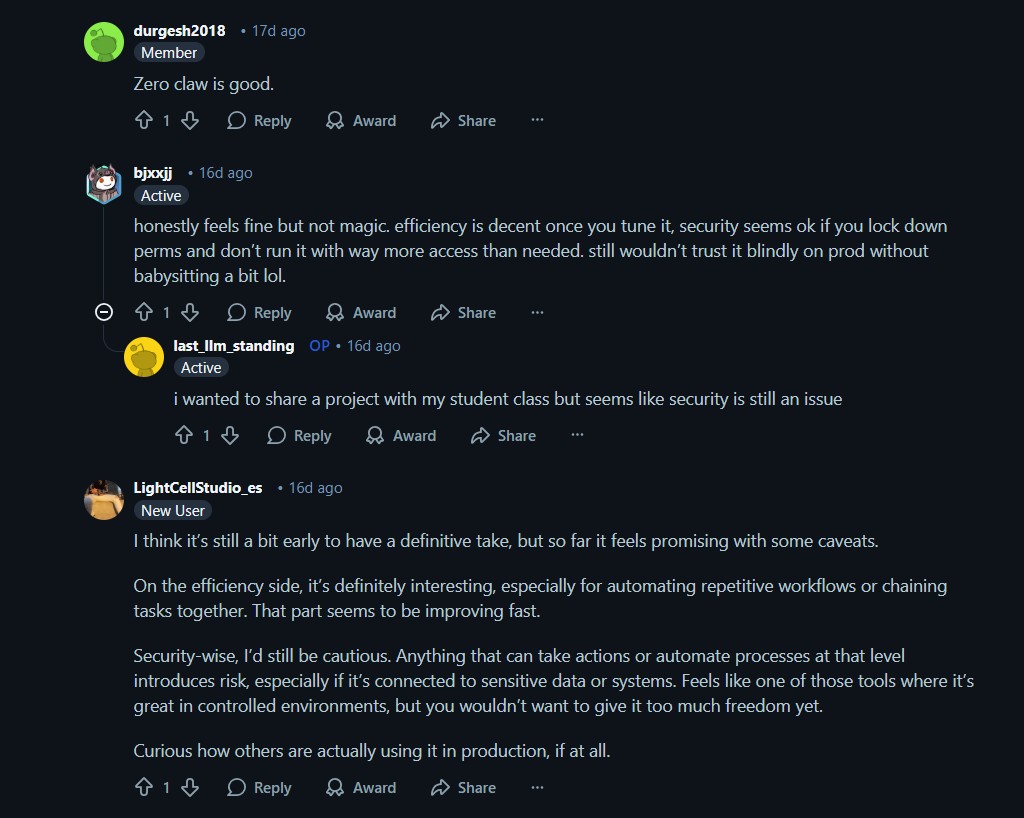
“honestly feels fine but not magic. efficiency is decent once you tune it, security seems ok if you lock down perms and don’t run it with way more access than needed. still wouldn’t trust it blindly on prod without babysitting a bit lol.” — u/bjxxjj
“I think it’s still a bit early to have a definitive take, but so far it feels promising with some caveats…” — u/LightCellStudio_es
Warning: Minimal frameworks lower complexity, but they may omit hardened defaults or safety guards you expect in larger stacks. Do not run on sensitive systems without appropriate sandboxing and access controls.
Final Thoughts
What caught my attention is the engineering tradeoff: by shrinking the codebase you gain inspectability and speed, which is great for research and prototyping. If you adopt Nanobot for anything beyond experimentation, build a safety layer, add monitoring, and validate behavior under representative workloads.
I ran into this repo on GitHub and had to stop, because Nanobot is an ultra-light clawdbot-style assistant that boots in under a minute. Where Clawdbot requires 430,000 plus lines of code to run, Nanobot delivers the same core agent loop in roughly 4,000 lines — a dramatic reduction in complexity and surface area.
What is Nanobot?
Nanobot is a minimal, research-friendly agent framework from HKUDS that focuses on readability, speed, and low resource usage. The repository demonstrates a compact core agent loop, real-time tooling to count lines (core_agent_lines.sh), and ergonomics that make the codebase approachable for researchers and engineers who want to build personal AI agents without framework bloat.
nanobot repo
Note: Line count comparisons are indicative, not a full measure of capability. A smaller codebase reduces maintenance overhead and attack surface, but you should validate features and stability for your use case.
Customer Persona
The typical Nanobot user is a machine learning researcher or software engineer who needs a lightweight, inspectable agent framework for prototyping AI behaviors. They value code readability, fast iteration cycles, and minimal dependencies over production-ready safety features. This persona often works in academic or R&D environments where they need to experiment with agent loops without the overhead of larger frameworks like LangChain or AutoGPT.
Market Analysis
Nanobot enters a crowded market of AI agent frameworks, competing with heavyweights like LangChain, AutoGPT, and Clawdbot. Its differentiation lies in its extreme minimalism—4,000 lines versus 430,000—making it uniquely suited for research and educational use. While it lacks the battle-tested robustness and ecosystem of larger frameworks, its small size allows for full auditability and customization, similar to the approach used by the OpenHands development platform for building and scaling AI agents. For production deployments, teams would likely still choose more mature options, but Nanobot fills a niche for rapid prototyping and agent architecture studies.
Key Features
Ultra-Lightweight — small codebase that starts fast and is easy to inspect
Research-Ready — readable structure makes experimentation straightforward
Lightning Fast Startup — no massive dependency load, quick iterations
One-Click Deploy — minimal setup to get the agent loop running
Threads user, in response to How to Use Nanobot as an Ultra-Light Personal AI Agent
How It Works
At a high level, Nanobot implements the standard agent loop with tight, explicit components and a small set of adapters for tools and IO. The project emphasizes compact state encodings and a minimal runtime so you can reason about behavior in a single afternoon.
git clone https://github.com/HKUDS/nanobot

cd nanobot

# inspect line count and core scripts

bash core_agent_lines.sh

# run the agent as documented in the README
Component
Purpose
Core loop
The minimal event/task loop that drives agent decisions
Adapters
Lightweight connectors for tools, IO, and external APIs
Utilities
Helper scripts, including the line counting tool
Tests / Examples
Small demos to exercise typical agent flows
Tip: Run bash core_agent_lines.sh to verify the real-time line count, and use the small demos to understand the agent’s action model before extending it.
Community Reactions
“No thank you 🙂 still like a frontend for the a.i. without the core. Idk why ppl are so excited” — @ip_first_
“Crippled Openclaw I must say. Got many errors it don’t want to reply, forgot things that it wrote itself, no option to use custom OpenAI/Anthropic compatibe AI. Meh…” — @heyrengga
“honestly feels fine but not magic. efficiency is decent once you tune it, security seems ok if you lock down perms and don’t run it with way more access than needed. still wouldn’t trust it blindly on prod without babysitting a bit lol.” — u/bjxxjj
“I think it’s still a bit early to have a definitive take, but so far it feels promising with some caveats…” — u/LightCellStudio_es
Warning: Minimal frameworks lower complexity, but they may omit hardened defaults or safety guards you expect in larger stacks. Do not run on sensitive systems without appropriate sandboxing and access controls.
Final Thoughts
What caught my attention is the engineering tradeoff: by shrinking the codebase you gain inspectability and speed, which is great for research and prototyping. If you adopt Nanobot for anything beyond experimentation, build a safety layer, add monitoring, and validate behavior under representative workloads.
I ran into this repo on GitHub and had to stop, because Nanobot is an ultra-light clawdbot-style assistant that boots in under a minute. Where Clawdbot requires 430,000 plus lines of code to run, Nanobot delivers the same core agent loop in roughly 4,000 lines — a dramatic reduction in complexity and surface area.
What is Nanobot?
Nanobot is a minimal, research-friendly agent framework from HKUDS that focuses on readability, speed, and low resource usage. The repository demonstrates a compact core agent loop, real-time tooling to count lines (core_agent_lines.sh), and ergonomics that make the codebase approachable for researchers and engineers who want to build personal AI agents without framework bloat.
nanobot repo
Note: Line count comparisons are indicative, not a full measure of capability. A smaller codebase reduces maintenance overhead and attack surface, but you should validate features and stability for your use case.
Customer Persona
The typical Nanobot user is a machine learning researcher or software engineer who needs a lightweight, inspectable agent framework for prototyping AI behaviors. They value code readability, fast iteration cycles, and minimal dependencies over production-ready safety features. This persona often works in academic or R&D environments where they need to experiment with agent loops without the overhead of larger frameworks like LangChain or AutoGPT.
Market Analysis
Nanobot enters a crowded market of AI agent frameworks, competing with heavyweights like LangChain, AutoGPT, and Clawdbot. Its differentiation lies in its extreme minimalism—4,000 lines versus 430,000—making it uniquely suited for research and educational use. While it lacks the battle-tested robustness and ecosystem of larger frameworks, its small size allows for full auditability and customization, similar to the approach used by the OpenHands development platform for building and scaling AI agents. For production deployments, teams would likely still choose more mature options, but Nanobot fills a niche for rapid prototyping and agent architecture studies.
Key Features
Ultra-Lightweight — small codebase that starts fast and is easy to inspect
Research-Ready — readable structure makes experimentation straightforward
Lightning Fast Startup — no massive dependency load, quick iterations
One-Click Deploy — minimal setup to get the agent loop running
Threads user, in response to How to Use Nanobot as an Ultra-Light Personal AI Agent
How It Works
At a high level, Nanobot implements the standard agent loop with tight, explicit components and a small set of adapters for tools and IO. The project emphasizes compact state encodings and a minimal runtime so you can reason about behavior in a single afternoon.
git clone https://github.com/HKUDS/nanobot

cd nanobot

# inspect line count and core scripts

bash core_agent_lines.sh

# run the agent as documented in the README
Component
Purpose
Core loop
The minimal event/task loop that drives agent decisions
Adapters
Lightweight connectors for tools, IO, and external APIs
Utilities
Helper scripts, including the line counting tool
Tests / Examples
Small demos to exercise typical agent flows
Tip: Run bash core_agent_lines.sh to verify the real-time line count, and use the small demos to understand the agent’s action model before extending it.
Community Reactions
“No thank you 🙂 still like a frontend for the a.i. without the core. Idk why ppl are so excited” — @ip_first_
“Crippled Openclaw I must say. Got many errors it don’t want to reply, forgot things that it wrote itself, no option to use custom OpenAI/Anthropic compatibe AI. Meh…” — @heyrengga
“honestly feels fine but not magic. efficiency is decent once you tune it, security seems ok if you lock down perms and don’t run it with way more access than needed. still wouldn’t trust it blindly on prod without babysitting a bit lol.” — u/bjxxjj
“I think it’s still a bit early to have a definitive take, but so far it feels promising with some caveats…” — u/LightCellStudio_es
Warning: Minimal frameworks lower complexity, but they may omit hardened defaults or safety guards you expect in larger stacks. Do not run on sensitive systems without appropriate sandboxing and access controls.
Final Thoughts
What caught my attention is the engineering tradeoff: by shrinking the codebase you gain inspectability and speed, which is great for research and prototyping. If you adopt Nanobot for anything beyond experimentation, build a safety layer, add monitoring, and validate behavior under representative workloads.
I ran into this repo on GitHub and had to stop, because Nanobot is an ultra-light clawdbot-style assistant that boots in under a minute. Where Clawdbot requires 430,000 plus lines of code to run, Nanobot delivers the same core agent loop in roughly 4,000 lines — a dramatic reduction in complexity and surface area.
What is Nanobot?
Nanobot is a minimal, research-friendly agent framework from HKUDS that focuses on readability, speed, and low resource usage. The repository demonstrates a compact core agent loop, real-time tooling to count lines (core_agent_lines.sh), and ergonomics that make the codebase approachable for researchers and engineers who want to build personal AI agents without framework bloat.
nanobot repo
Note: Line count comparisons are indicative, not a full measure of capability. A smaller codebase reduces maintenance overhead and attack surface, but you should validate features and stability for your use case.
Customer Persona
The typical Nanobot user is a machine learning researcher or software engineer who needs a lightweight, inspectable agent framework for prototyping AI behaviors. They value code readability, fast iteration cycles, and minimal dependencies over production-ready safety features. This persona often works in academic or R&D environments where they need to experiment with agent loops without the overhead of larger frameworks like LangChain or AutoGPT.
Market Analysis
Nanobot enters a crowded market of AI agent frameworks, competing with heavyweights like LangChain, AutoGPT, and Clawdbot. Its differentiation lies in its extreme minimalism—4,000 lines versus 430,000—making it uniquely suited for research and educational use. While it lacks the battle-tested robustness and ecosystem of larger frameworks, its small size allows for full auditability and customization, similar to the approach used by the OpenHands development platform for building and scaling AI agents. For production deployments, teams would likely still choose more mature options, but Nanobot fills a niche for rapid prototyping and agent architecture studies.
Key Features
Ultra-Lightweight — small codebase that starts fast and is easy to inspect
Research-Ready — readable structure makes experimentation straightforward
Lightning Fast Startup — no massive dependency load, quick iterations
One-Click Deploy — minimal setup to get the agent loop running
Threads user, in response to How to Use Nanobot as an Ultra-Light Personal AI Agent
How It Works
At a high level, Nanobot implements the standard agent loop with tight, explicit components and a small set of adapters for tools and IO. The project emphasizes compact state encodings and a minimal runtime so you can reason about behavior in a single afternoon.
git clone https://github.com/HKUDS/nanobot

cd nanobot

# inspect line count and core scripts

bash core_agent_lines.sh

# run the agent as documented in the README
Component
Purpose
Core loop
The minimal event/task loop that drives agent decisions
Adapters
Lightweight connectors for tools, IO, and external APIs
Utilities
Helper scripts, including the line counting tool
Tests / Examples
Small demos to exercise typical agent flows
Tip: Run bash core_agent_lines.sh to verify the real-time line count, and use the small demos to understand the agent’s action model before extending it.
Community Reactions
“No thank you 🙂 still like a frontend for the a.i. without the core. Idk why ppl are so excited” — @ip_first_
“Crippled Openclaw I must say. Got many errors it don’t want to reply, forgot things that it wrote itself, no option to use custom OpenAI/Anthropic compatibe AI. Meh…” — @heyrengga
“honestly feels fine but not magic. efficiency is decent once you tune it, security seems ok if you lock down perms and don’t run it with way more access than needed. still wouldn’t trust it blindly on prod without babysitting a bit lol.” — u/bjxxjj
“I think it’s still a bit early to have a definitive take, but so far it feels promising with some caveats…” — u/LightCellStudio_es
Warning: Minimal frameworks lower complexity, but they may omit hardened defaults or safety guards you expect in larger stacks. Do not run on sensitive systems without appropriate sandboxing and access controls.
Final Thoughts
What caught my attention is the engineering tradeoff: by shrinking the codebase you gain inspectability and speed, which is great for research and prototyping. If you adopt Nanobot for anything beyond experimentation, build a safety layer, add monitoring, and validate behavior under representative workloads.
I ran into this repo on GitHub and had to stop, because Nanobot is an ultra-light Clawdbot-style assistant that boots in under a minute. Where Clawdbot requires over 430,000 lines of code, Nanobot delivers the same core agent loop in roughly 4,000 lines — a significant reduction in complexity and surface area.
nanobot repo
What is Nanobot?
Nanobot is a minimal, research-friendly agent framework from HKUDS that focuses on readability, speed, and low resource usage. The repository demonstrates a compact core agent loop, real-time tooling to count lines (core_agent_lines.sh), and ergonomics that make the codebase approachable for researchers and engineers.
Line count comparisons are indicative, not a full measure of capability. A smaller codebase reduces maintenance overhead and attack surface, but you should validate features and stability for your use case.
Customer Persona
The typical Nanobot user is a machine learning researcher or software engineer who needs a lightweight, inspectable agent framework for prototyping AI behaviors. They value code readability, fast iteration cycles, and minimal dependencies over production-ready safety features. This persona often works in academic or R&D environments where they need to experiment with agent loops without the overhead of larger frameworks like Agent Zero or AutoGPT.
Market Analysis
Nanobot enters a crowded market of AI agent frameworks, competing with heavyweights like LangChain, AutoGPT, and Clawdbot. Its differentiation lies in its extreme minimalism — 4,000 lines versus 430,000 — making it uniquely suited for research and educational use. While it lacks the battle-tested robustness and ecosystem of larger frameworks, its small size allows for full auditability and customization. For production deployments, teams would likely still choose more mature options such as Cline for AI-powered coding assistance, but Nanobot fills a niche for rapid prototyping and agent architecture studies.
Key Features
Ultra-Lightweight — small codebase that starts fast and is easy to inspect
Research-Ready — readable structure makes experimentation straightforward
Lightning Fast startup — no massive dependency load, quick iterations
One-Click Deploy — minimal setup to get the agent loop running
Threads user, in response to How to Use Nanobot as an Ultra-Light Personal AI Agent
How It Works
At a high level, Nanobot implements the standard agent loop with tight, explicit components and a small set of adapters for tools and IO. The project emphasizes compact state encodings and a minimal runtime so you can reason about behavior in a single afternoon.
git clone https://github.com/HKUDS/nanobot

cd nanobot

bash core_agent_lines.sh

# run the agent as documented in the README
Run bash core_agent_lines.sh to verify the real-time line count, and use the small demos to understand the agent’s action model before extending it.
Component
Purpose
Core loop
The minimal event/task loop that drives agent decisions
Adapters
Lightweight connectors for tools, IO, and external APIs
Utilities
Helper scripts, including the line counting tool
Tests / Examples
Small demos to exercise typical agent flows
Community Reactions
“No thank you 🙂 still like a frontend for the a.i. without the core. Idk why ppl are so excited” — @ip_first_
“Crippled Openclaw I must say. Got many errors it don’t want to reply, forgot things that it wrote itself, no option to use custom OpenAI/Anthropic compatible AI. Meh…” — @heyrengga
“honestly feels fine but not magic. efficiency is decent once you tune it, security seems ok if you lock down perms and don’t run it with way more access than needed. still wouldn’t trust it blindly on prod without babysitting a bit lol.” — u/bjxxjj
“I think it’s still a bit early to have a definitive take, but so far it feels promising with some caveats…” — u/LightCellStudio_es
Minimal frameworks lower complexity, but they may omit hardened defaults or safety guards you expect in larger stacks. Do not run on sensitive systems without appropriate sandboxing and access controls.
Final Thoughts
What caught my attention is the engineering tradeoff: by shrinking the codebase you gain inspectability and speed, which is great for research and prototyping. If you adopt Nanobot for anything beyond experimentation, build a safety layer, add monitoring, and validate behavior under representative workloads.
I ran into this repo on GitHub and had to stop, because Nanobot is an ultra-light Clawdbot-style assistant that boots in under a minute. Where Clawdbot requires 430,000 plus lines of code to run, Nanobot delivers the same core agent loop in roughly 4,000 lines, which is a dramatic reduction in complexity and surface area.
Nanobot is a minimal, research-friendly agent framework from HKUDS that focuses on readability, speed, and low resource usage. The repository demonstrates a compact core agent loop, real-time tooling to count lines (core_agent_lines.sh), and ergonomics that make the codebase approachable for researchers and engineers.
nanobot repo
Customer Persona
The typical Nanobot user is a machine learning researcher or software engineer who needs a lightweight, inspectable agent framework for prototyping AI behaviors. They value code readability, fast iteration cycles, and minimal dependencies over production-ready safety features. This persona often works in academic or R&D environments where they need to experiment with agent loops without the overhead of larger frameworks like LangChain or AutoGPT.
Market Analysis
Nanobot enters a crowded market of AI agent frameworks, competing with heavyweights like LangChain, AutoGPT, and Clawdbot. Its differentiation lies in its extreme minimalism—4,000 lines versus 430,000—making it uniquely suited for research and educational use. While it lacks the battle-tested robustness and ecosystem of larger frameworks, its small size allows for full auditability and customization. For production deployments, teams would likely still choose more mature options, but Nanobot fills a niche for rapid prototyping and agent architecture studies. For connecting AI agents to external services, consider using techniques shown in our guide on connecting AI agents to Google Workspace.
At a high level, Nanobot implements the standard agent loop with tight, explicit components, and a small set of adapters for tools and IO. The project emphasizes compact state encodings and a minimal runtime so you can reason about behavior in a single afternoon.
Threads user, in response to How to Use Nanobot as an Ultra-Light Personal AI Agent
Integration starts by cloning the repository and inspecting the line count with the included script. For production deployments, you may want to consider more robust frameworks like Gobii for durable autonomous agents. The README provides step‑by‑step instructions for running the agent and connecting to your preferred LLM. Testing with a non‑critical workload is recommended to ensure behavior matches expectations.
Feature
Why it matters
Ultra-Lightweight, small codebase that starts fast and is easy to inspect
Reduces maintenance overhead and attack surface, ideal for research and prototyping
Research-Ready, readable structure makes experimentation straightforward
Enables rapid iteration and customization without navigating complex abstractions
Lightning Fast startup, no massive dependency load, quick iterations
Lets you test agent behaviors in seconds, not minutes
One-click deploy, minimal setup to get the agent loop running
Lowers the barrier to entry for developers new to agent frameworks
Line count comparisons are indicative, not a full measure of capability. A smaller codebase reduces maintenance overhead and attack surface, but you should validate features and stability for your use case.
nanobot repo reddit
Advertising Section
For more advanced AI agent deployments, explore our partner solutions.
The Verdict
Nanobot delivers an ultra-light personal AI agent with minimal code footprint. The dramatic reduction in lines—from 430,000 to 4,000—provides inspectability and speed that is great for research and prototyping. However, minimal frameworks may omit hardened defaults or safety guards you expect in larger stacks. Do not run on sensitive systems without appropriate sandboxing and access controls. If you adopt Nanobot for anything beyond experimentation, build a safety layer, add monitoring, and validate behavior under representative workloads.