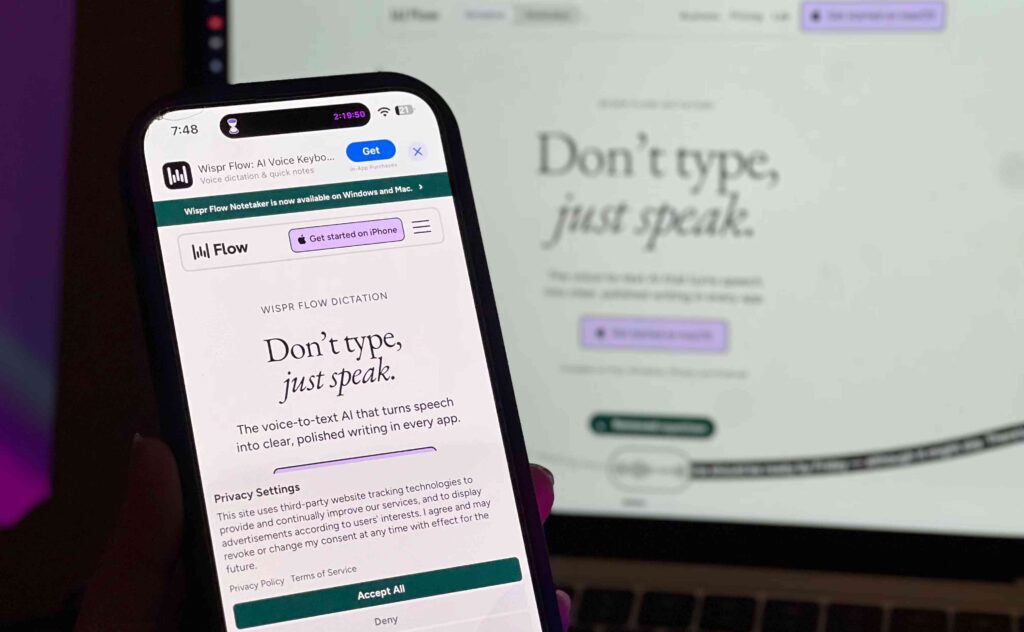
Kamu mungkin pernah mencoba fitur dikte bawaan di HP atau laptop, lalu berhenti karena hasilnya berantakan dan lebih lama diedit daripada diketik sendiri. Wispr Flow mengklaim bisa mengubah pengalaman itu. Tapi apa bedanya, dan benarkah lebih cepat? Berikut perbandingannya.
Sekilas Dua Kubu
Dikte manual (bawaan) seperti dikte Siri atau Google voice typing menuliskan ucapanmu kata demi kata, termasuk “eh”, “umm”, dan kalimat yang kamu ralat di tengah jalan. Setelah itu kamu yang membersihkannya.
Wispr Flow adalah aplikasi dikte berbasis AI dari Wispr AI untuk Mac, Windows, iPhone, dan Android. Aplikasi ini mengubah suara jadi teks di aplikasi apa pun yang punya kolom ketik, lalu merapikannya otomatis.
Perbandingan Head-to-Head
| Aspek | Dikte bawaan | Wispr Flow |
|---|---|---|
| Hasil teks | Persis seperti diucapkan | Dirapikan, kata pengisi dihapus |
| Koreksi di tengah kalimat | Ikut tertulis semua | Hanya versi akhir yang tertulis |
| Tanda baca dan format | Seringkali minim | Otomatis, termasuk daftar dan paragraf |
| Nama dan istilah khusus | Sering salah | Belajar lewat kamus pribadi |
| Cakupan | Tergantung perangkat dan ekosistem | Satu aplikasi untuk semua perangkat |
| Harga | Gratis | Gratis 2.000 kata/minggu, lalu berbayar |
Catatan: perbandingan di atas banyak bersumber dari materi resmi Wispr dan satu reviewer, jadi hasilnya bisa berbeda di perangkatmu. Dikte bawaan juga terus berkembang.
Ronde 1: Koreksi Otomatis
Dengan dikte bawaan, kalau kamu bilang “ketemu jam 5… eh, jam 6 saja”, semuanya tertulis. Wispr Flow hanya menuliskan “ketemu jam 6”. Menurut reviewer yang memakainya hampir setahun, inilah beda terbesarnya: kamu tidak lagi mengedit transkrip dari kesalahanmu sendiri.
Ronde 2: Format dan Kerapian
Dikte bawaan cenderung menghasilkan satu blok teks panjang. Wispr Flow menambahkan tanda baca dan bisa memformat teks jadi daftar bernomor atau paragraf, sehingga hasilnya lebih siap dikirim.
Ronde 3: Nama dan Istilah
Nama klien, singkatan, dan jargon sering jadi masalah di dikte biasa. Wispr Flow punya kamus pribadi yang mempelajari kata-kata yang sering kamu pakai, atau bisa kamu tambahkan sendiri.
Ronde 4: Cakupan Aplikasi dan Perangkat
Wispr Flow menulis di mana pun kursormu berada, mulai dari Gmail, Slack, dan Notion sampai ChatGPT dan Cursor, tanpa plugin tambahan. Di iPhone, ia bekerja sebagai keyboard pihak ketiga, jadi ada jeda kecil saat berganti keyboard.
Perlu diingat, Wispr Flow dirancang untuk mengetikkan apa yang kamu ucapkan. Kalau kamu butuh mencatat isi rapat online dari banyak pembicara, pendekatannya berbeda, misalnya lewat Granola yang menangkap audio dari perangkat tanpa bot yang ikut masuk ke rapat.
Ronde 5: Kecepatan
Wispr mengklaim aplikasinya hingga 4x lebih cepat dari mengetik. Angka itu klaim vendor, bukan hasil uji independen. Reviewer dalam sumber menyebut ia bisa menghasilkan tiga paragraf dalam sekitar 30 detik, padahal mengetiknya bisa memakan sekitar lima menit. Hasilmu akan bergantung pada kecepatan ketik dan cara bicaramu.
Kekurangan Wispr Flow yang Perlu Kamu Tahu
- Butuh koneksi internet dan akun, serta tidak sepenuhnya gratis. Paket gratis dibatasi 2.000 kata per minggu
- Fitur gaya dan nada penulisan baru tersedia untuk bahasa Inggris
- Snippets hanya aktif kalau frasa pemicunya diucapkan persis sama
- Fitur context awareness membaca layar dan sempat dikritik soal privasi sebelum diperbaiki. Fitur ini bisa dimatikan di Settings > Data & Privacy, dan sebaiknya dimatikan untuk data sensitif
- Earbud Bluetooth seperti AirPods kurang disarankan karena kualitas audionya
Cara Mencoba

- Unduh Wispr Flow di wisprflow.ai
- Buat akun dan izinkan akses mikrofon
- Pilih bahasa yang akan kamu ucapkan
- Letakkan kursor di kolom teks, tekan tombol pintas, lalu bicara
Harga paket Pro sekitar $15 per bulan, atau $12 per bulan jika dibayar tahunan. Cek wisprflow.ai untuk harga terbaru.
Kesimpulan
Keunggulan utama Wispr Flow dibanding dikte bawaan bukan di kecepatan bicara, melainkan di berkurangnya waktu yang kamu habiskan untuk merapikan hasilnya. Kalau kamu banyak menulis setiap hari, paket gratisnya cukup untuk membuktikan sendiri apakah selisihnya terasa. Selamat mencoba!