
WhatsApp doesn’t have a built-in font-changing feature. But an old trick that still works today is to use Unicode characters, not actual fonts, but symbols that resemble specific writing styles. Because they’re Unicode-based, the results will look exactly the same when pasted into a WhatsApp chat, status, or contact name, on any phone.
Here are three generators with different cultural themes that you can try right away.
Quick Comparison
| Generator | Conversion Type | Input | Suitable For |
|---|---|---|---|
| Japanese Font Generator | Decorative (not a native language) | Free text | Status updates, Japanese/anime-themed group names |
| Korean Name Generator | Entertainment, drama character names | Date of birth | Profile names, K-drama fan community nicknames |
| Javanese Alphabet Generator | Native transliteration | Latin text | Cultural status updates, traditional invitations |
Japanese Font Generator
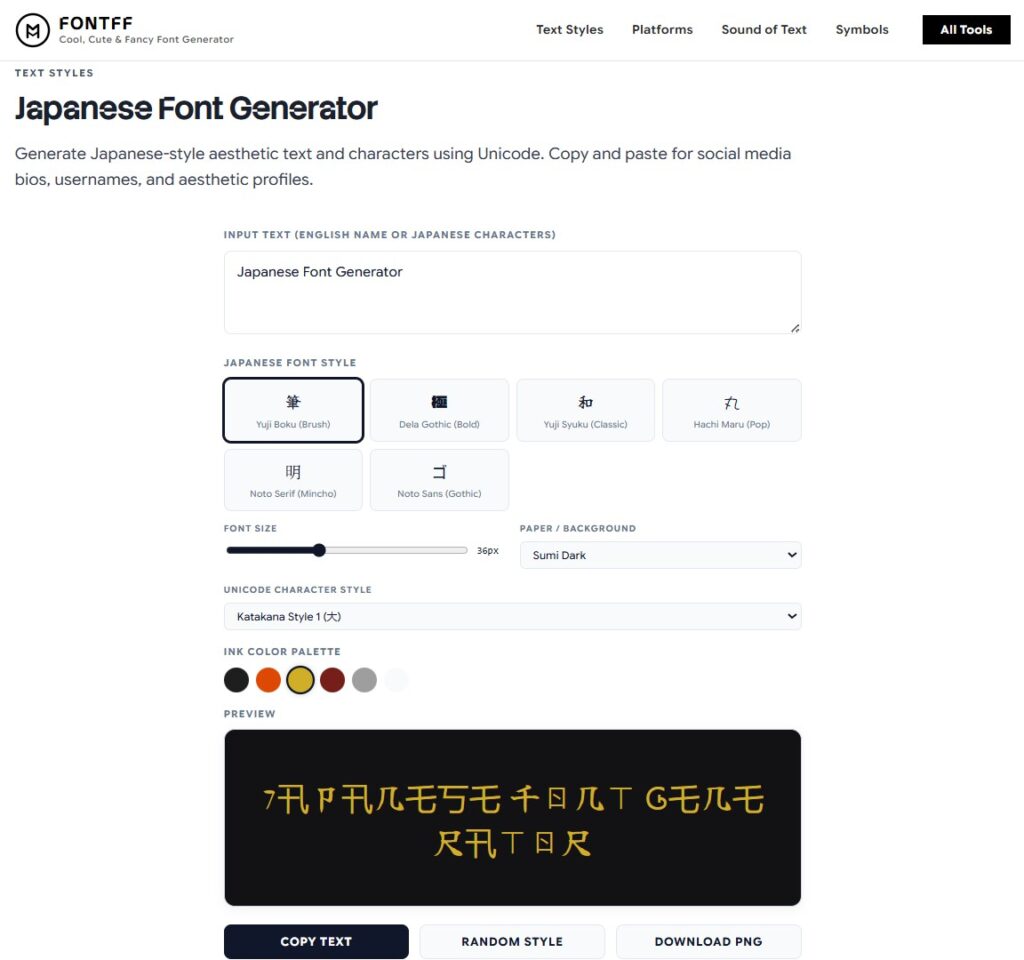
Convert plain text into decorative Japanese-style characters, full-width, Katakana style, Japanese-style parentheses, without actually translating into Japanese.
Available Settings
- Character styles: Katakana Style, Corner Brackets, Fullwidth Aesthetic, Japanese Bracketed
- Font size: 14px to 72px
- Preview background: Washi Paper, Sumi Dark, Beni Red, Ai Indigo
- Ink color: selectable to your liking
How to Use
- Type a name or text into the input field.
- Select one of the available Japanese font styles, or click “Random Style” if you’re not sure which one to choose.
- Adjust the size and preview if needed.
- Click “Copy Text”, then paste it into WhatsApp.
- Optional: Click “Download PNG” to save the result as an image.
Important Note
This is not an actual Japanese translation, but rather a visual effect inspired by Japanese aesthetics. For a real translation, please use a translation service.
Korean Name Generator
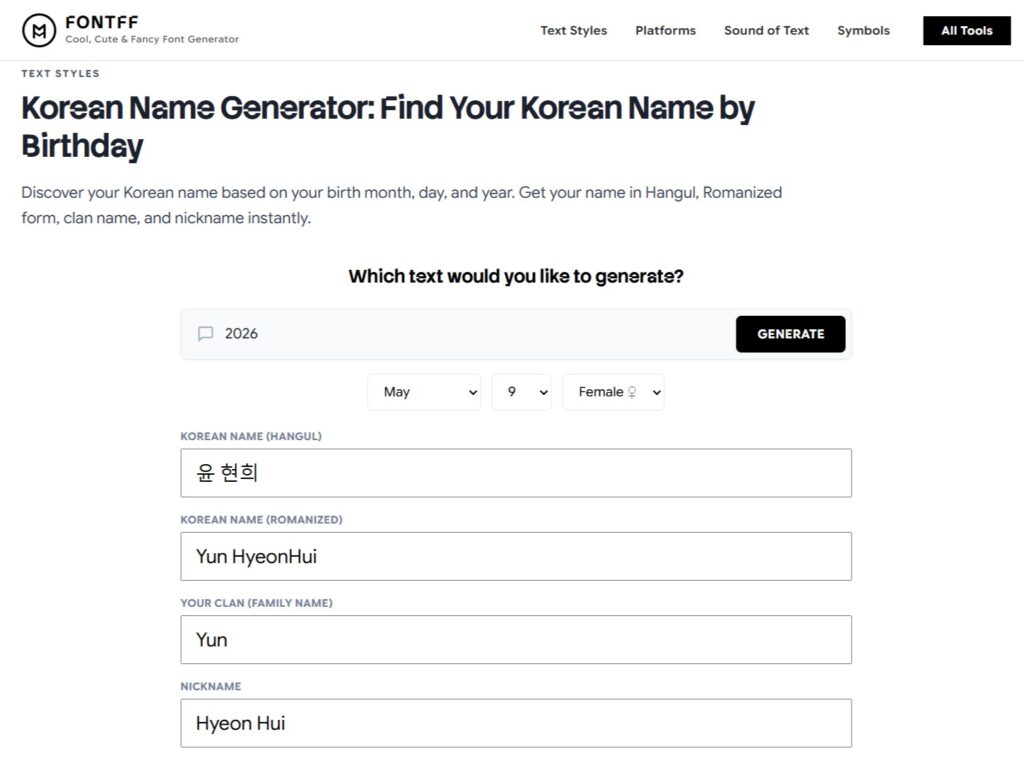
Unlike ordinary text generators, this tool generates a complete Korean name based on your date of birth, complete with four elements: Hangul, romanization, last name, and nickname.
Sample Results
Born January 3
- Hangul: 박지민
- Romanization: Park Ji-min
- Last Name: Park
- Nickname: Jiminie
Born June 21
- Hangul: 이하은
- Romanization: Lee Ha-eun
- Last Name: Lee
- Nickname: Haeunie
Why Is the Format Always Four Elements?
Because in Korean dramas, characters are rarely called by just one name. Hangul represents the formal form, romanization makes pronunciation easier, the last name conveys family lineage, and the nickname gives a friendly, familiar feel.
Best Used For
- A WhatsApp profile name that feels more personal
- A nickname in a K-drama fan group
- Just for fun, to find out your “Korean name”
Important Note
These names are created for entertainment purposes based on popular patterns in Korean dramas; they are not the result of linguistic research.
Javanese Alphabet Generator
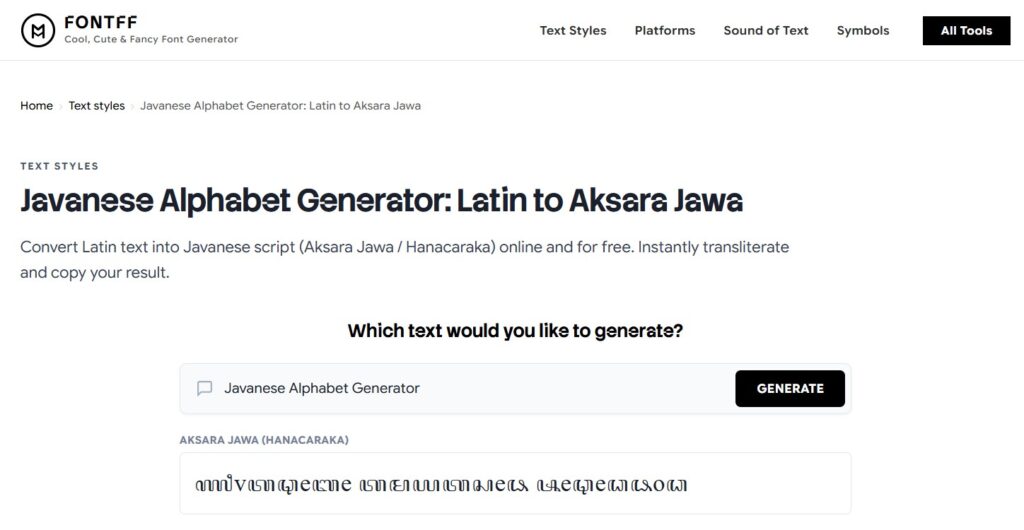
Performs authentic transliteration from the Latin alphabet to the Javanese script (Hanacaraka), the script once used to record history, literature, and correspondence in Java before the Latin alphabet was introduced.
How to Use
- Type standard Latin text into the input field.
- The Javanese transliteration appears automatically.
- Copy the result, then paste it into a WhatsApp chat, status, or contact name.
Ideal for
- WhatsApp statuses with a cultural heritage theme
- Names of traditional event groups or invitations
- Self-study materials for learning to read Javanese script
Why This Is More Than Just a Conversion Tool
Every time Javanese script is used, whether in school assignments, invitations, or WhatsApp statuses, a small part of our cultural heritage is preserved, ensuring it isn’t completely replaced by the Latin alphabet.
FAQ
Are all the results from these generators in the original language?
No. The Japanese Font Generator and Korean Name Generator are for decorative or entertainment purposes only; they are not official translations. Only the Javanese Alphabet Generator performs authentic transliteration into the Javanese script.
Will the results definitely display correctly on WhatsApp?
Yes, because they are based on Unicode characters, which are universally recognized by almost all devices.
Are all these generators free?
Yes, all three are 100% free, with no need to create an account.
Whether you want a Japanese-style aesthetic, a catchy Korean name, or to preserve Javanese script in your WhatsApp status, you can do it all right in your browser, for free, with just a few clicks and a copy-paste. Choose whatever suits your mood or the theme you’re going for in your chats, status updates, and contact names.